Rancero Now Distributing Achilles, the Private AI Cyber Security Harness

As of today, Achilles is a Rancero project. Rancero now owns and stewards development of Achilles, the free, private cybersecurity AI code assistant - a local agent harness that scans your repositories for leaked secrets, dangerous code, vulnerable packages, and risky CI or cloud configuration, then hands you a durable, triage-ready list of findings without ever sending your code anywhere.
The open source repository remains at github.com/kineticquant/achilles-harness under Apache 2.0, installers still ship from GitHub Releases for Windows, macOS, and Linux, and the product documentation now lives here on docs.rancero.com.
What Achilles is
Achilles is a native desktop app (Windows, Mac, Linux) with a Rust core and an Electron shell. You point it at a folder, hit Scan, and in seconds you get findings organized in a durable local ledger - not a chat transcript that evaporates when the session ends.
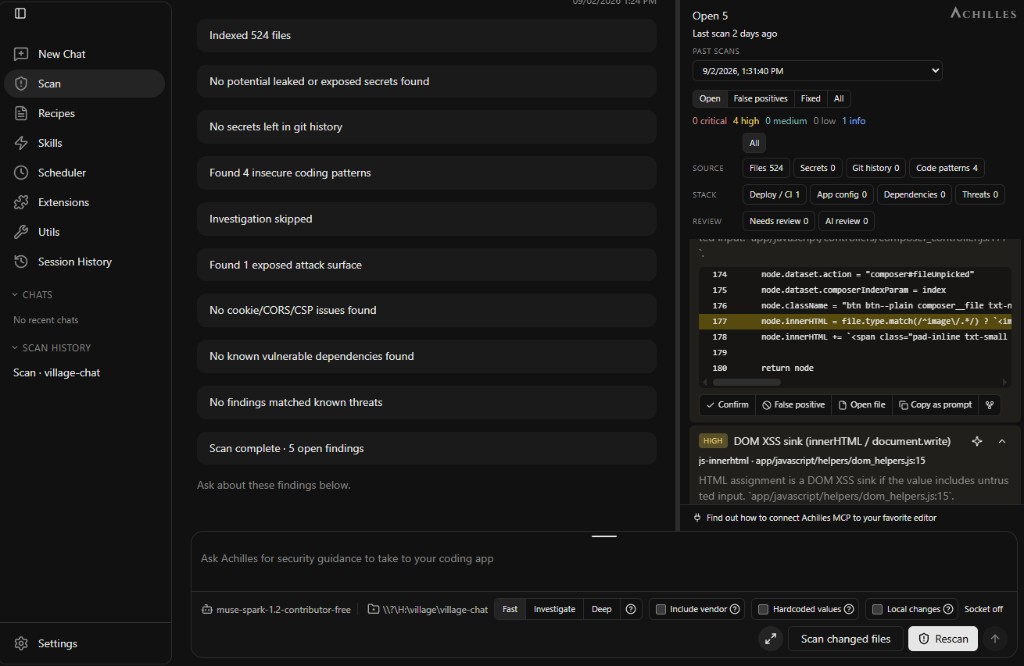
It is not a chat wrapper. The scan itself is performed by deterministic engines that run on your machine:
- Secrets detection with redacted previews - API keys, tokens, passwords, database URLs, PEM blocks, and more, across the working tree and (on full scans) your local git history.
- SAST-lite dangerous code patterns - eval, string-built SQL, XSS sinks, unsafe C functions and similar, line-oriented and tagged for C/C++, Python, JS/TS, Go, PHP, Java, C#, Ruby, and Rust.
- Software composition analysis - lockfiles and manifests checked against OSV, plus pinning and hygiene checks for unpinned versions, risky install scripts, and typosquat lookalikes. Optional Socket supply-chain alerts when a token is set.
- Deploy, CI, and IaC surfaces - GitHub Actions, Terraform, Kubernetes, Docker, and other fingerprinted config checked for
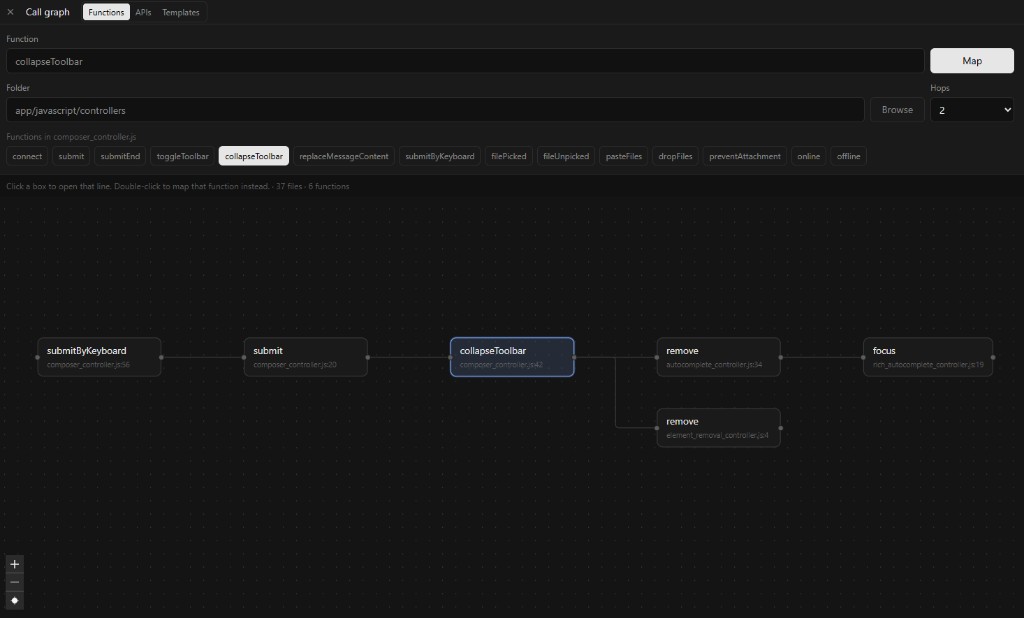
pull_request_target, open cloud networks, privileged containers, curl-pipe-shell, and more. - Code Map - a read-only visual map of functions, callers, routes, and templates, so you can see where a finding lives before you read it.
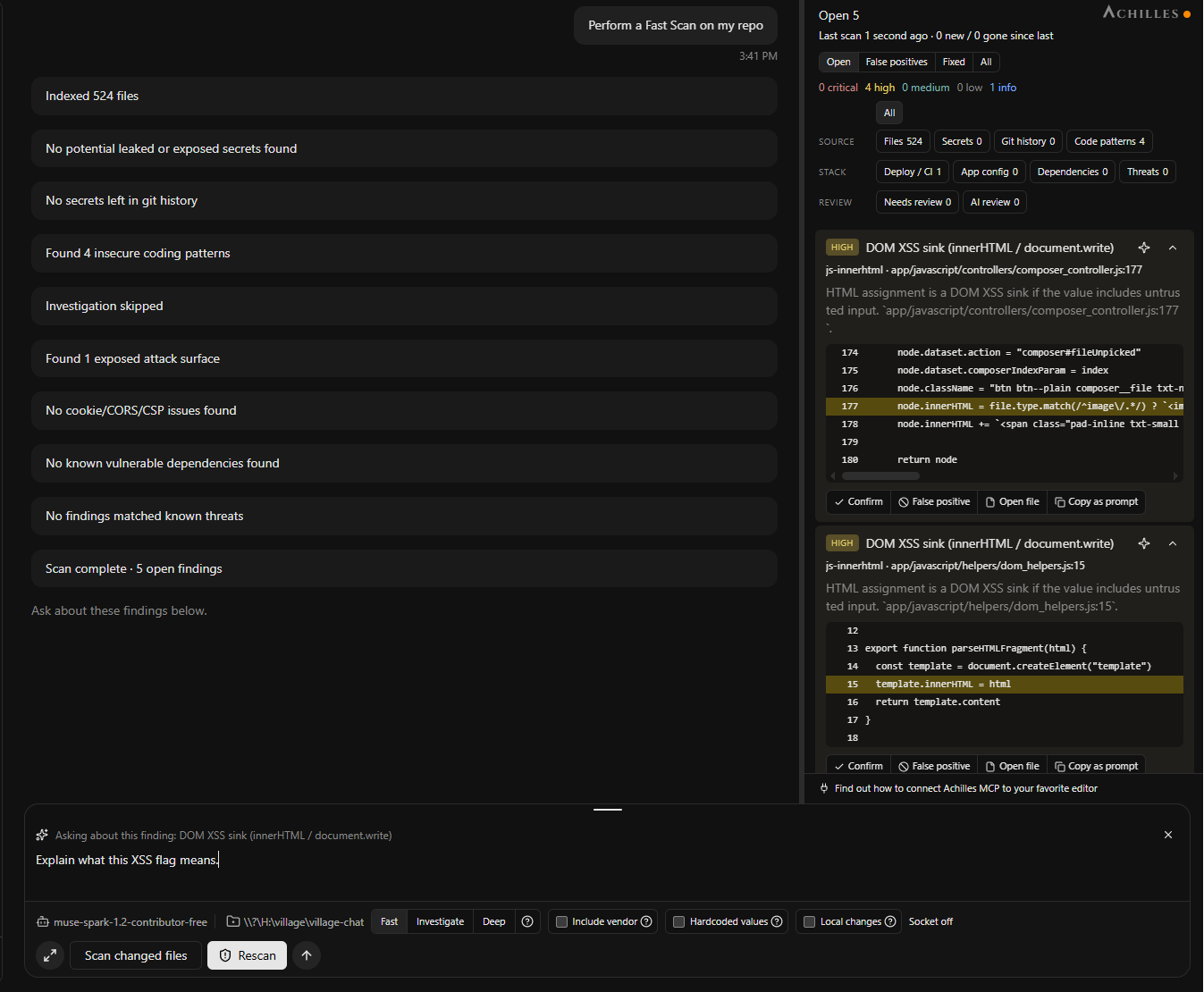
How you use it
Achilles is designed to pair with editors and coding agents you already use, not to replace them:
- Scan. Pick a workspace, choose Fast (extremely token-efficient), Investigate, or Deep (agent review layered on top, capped). Everything lands in a local ledger database on disk.
- Triage. Confirm a finding, mark it a false positive, or mark it fixed. Achilles remembers across rescans, including scanning only git-changed files.
- Fix where you already code. Copy a pasteable fix brief into your editor, or connect Achilles as an MCP server to Cursor, Claude Code, Codex, or OpenCode so your agent reads the ledger directly.
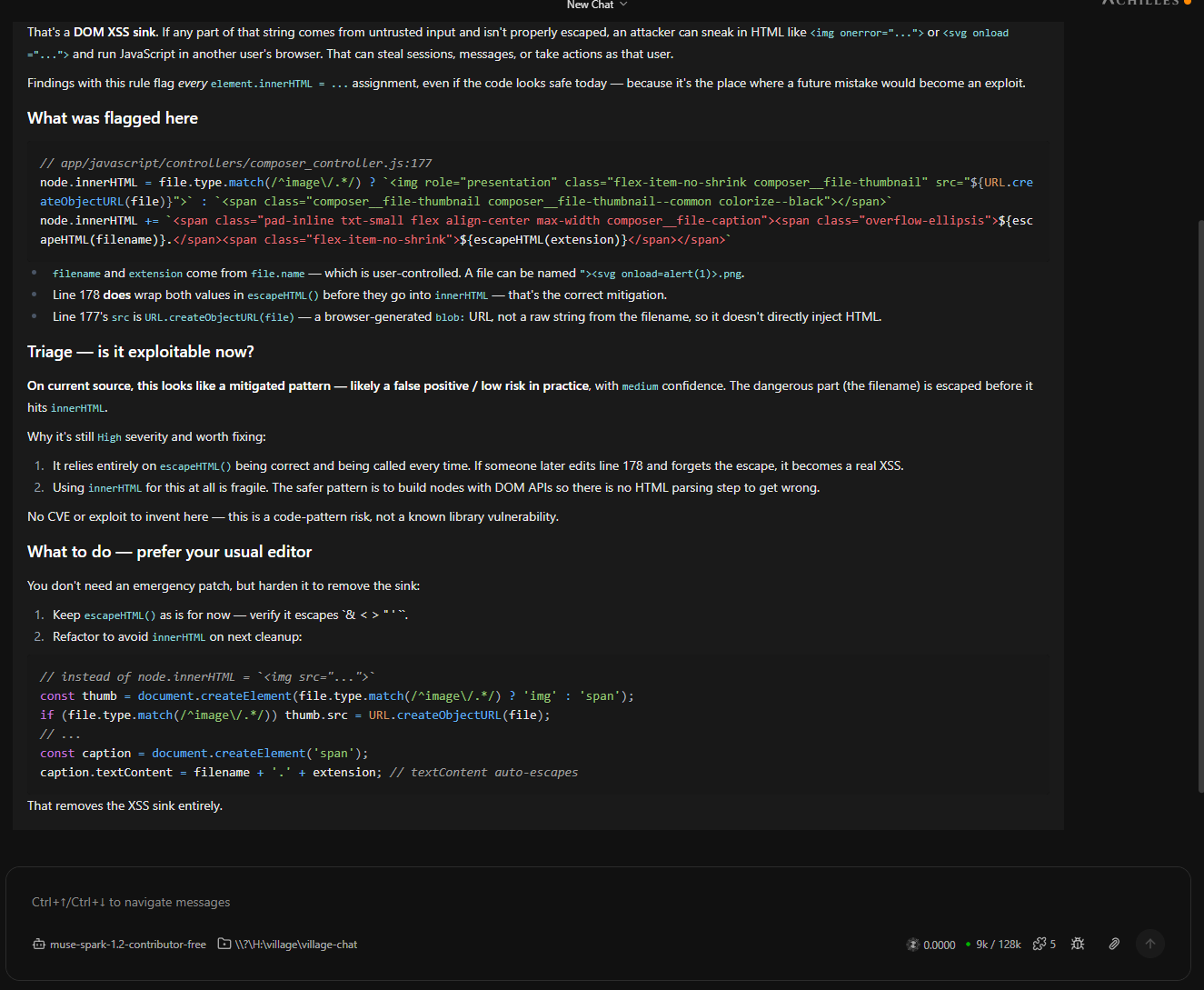
Bring any model, or none
Fast mode can cost as little as pennies because the engines do the deterministic work and the model only judges. When you want deeper reasoning, you bring any model you already pay for - Claude, ChatGPT, Gemini, OpenCode, OpenRouter, Ollama, or any OpenAI-compatible endpoint. Keys stay on your machine.
Achilles also ships with 13 built-in security skills and ready-made recipes that can run on a schedule - a nightly scan recap, a weekly dependency hygiene report, or a pre-merge security review.
Getting started
Download a desktop installer from achilles.sh, or read the full manual on this site:
It is 100% free, and it is private: your code never leaves your machine. If you want an agent that makes Codex, Claude Code, and Cursor security-aware without burning tokens, Achilles is for you.